

How to Use the Best Image Compressor (5 Simple Steps)
You don’t need an account. You don’t upload anything to some random server.
Everything runs right inside your browser. Fast, private, and completely free.
Let me walk you through your first compression. It takes less than 30 seconds.
Smart & Fast
Image Compression
Compress PNG, JPEG, WEBP, AVIF images with up to 90% size reduction — get AI-powered tips from Claude on every file.
Up to 20 images, max 5 MB each.
Drag & drop or click to browse.
George the
Panda 🐼
Step 1 – Open the tool and spot George
You’ll see a big dashed box. That’s the drop zone.
On the right side, there’s a panda cartoon. His name is George.
George is your privacy buddy. If you see him, your images never leave your computer.
Step 2 – Add your images
Drag and drop up to 20 pictures into that box.
Or click the “Browse Files” button and pick them from your folder.
The tool (Best Image Compressor) accepts PNG, JPEG, WEBP, AVIF, and GIF. Each file must be 5 MB or smaller.
No internet is needed after the page loads.
Step 3 – Pick an output format (or skip this)
Below the drop zone you’ll see buttons: AVIF, JXL, WEBP, JPEG, and PNG.
Click one if you want a specific format.
Too lazy to choose? Leave “Convert my images automatically” checked.
The tool will pick the best format for each image on its own.
Step 4 – Wait 5 seconds (this is where it gets cool)
After you drop your files, a short 5‑second timer starts.
During those seconds, two things happen at the same time:
- The compressor shrinks your image—sometimes by 90%.
- Claude AI looks at the image and prepares a smart tip for you.
You’ll see a spinner and a progress bar. Just let it do its thing.
Step 5 – Read your AI tip and download
When compression finishes, each image shows:
- Original size → new smaller size
- A green bar showing exactly how much space you saved
- A little robot badge with one sentence of advice just for that image
Click “Download” under any image to save it.
Or hit “Download all images” at the top or bottom to grab everything at once.
No signup. No watermark. No uploads. Done.
Another Tool: How to Unlock Mobile Pattern Lock | Mobile pattern unlocker | 7 Methods
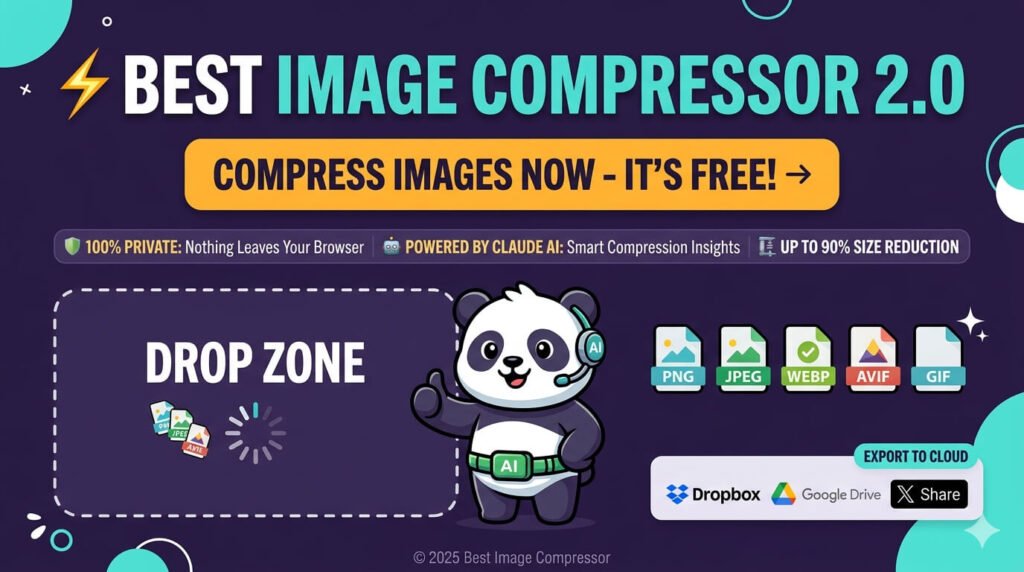
Smart & Fast Image Compression (No Fluff)
This tool shrinks PNG, JPEG, WEBP, and AVIF files by up to 90%.
It uses Claude AI Vision to give you smart suggestions on every file.
And it’s 100% private because nothing ever gets uploaded.
Why do people actually use this over other compressors
It’s fast.
You can compress 20 images at once. No waiting for uploads. No server round‑trips. Everything happens locally.
It’s private.
Your files never leave your device. Not even for a second. All compression runs inside your browser.
It gives you real advice.
Claude AI Vision looks at each image and tells you something useful. Like “this is a logo, use PNG” or “try WebP to save another 15%.”
It handles all the popular formats.
PNG, JPEG, WEBP, AVIF, GIF. It can even convert automatically to AVIF, JXL, or WebP for maximum savings.
Meet George the Panda (yes, really)
George is that little panda next to the upload box.
He’s not just cute. He’s your guarantee that no image ever leaves your browser.
Every time you compress something, George makes sure Claude AI gives you a useful tip.
And he reminds you that there’s zero tracking, zero uploads, zero funny business.
How the whole thing works (visually)
- Upload files – drag & drop or click to browse.
- Select output – pick a format or use auto mode.
- AI compress – 5 seconds of parallel processing.
- Download all – save files one by one or the whole batch.
Most people finish a full batch in under 10 seconds. The AI analysis runs at the same time, so you don’t wait extra.
Formats we support (plain and simple)
- PNG – great for logos, icons, and anything with transparency.
- JPEG – perfect for photos. We cut file sizes by up to 80% while keeping quality high.
- WEBP – Google’s modern format. Smaller than JPEG and PNG with wide browser support.
- AVIF – the new kid on the block. Up to 90% smaller than JPEG.
- GIF – we optimize both animated and static GIFs without dropping frames.
Real results you can actually measure
Smaller images = faster websites.
Faster websites = happier visitors and better Google rankings.
We’ve seen people cut their page load time in half just by running their images through this tool.
- Maximum size reduction: 90%
- Images per batch: 20
- Upload time: zero seconds (it’s all local)
An API for developers who hate bloat
You can plug our compression into your own pipeline.
The REST API handles batch processing, all formats, and even returns Claude AI insights.
- Simple REST API – clean endpoints, good docs. You’ll be up and running in minutes.
- Batch processing – send entire image libraries in one call.
- AI insight payload – every response includes format recommendations and quality notes.
Pricing that doesn’t play games
Free tier
- 20 images per session
- 5 MB per file
- All formats
- Browser‑based
- AI tips included
Pro plan
- Unlimited images
- Larger file sizes
- API access
- Priority processing
- Advanced AI insights
- Cloud save to Dropbox & Drive
No hidden fees. No credit card required for free.
Save, share, and export anywhere
Once your images are compressed, you can:
- Save directly to Dropbox
- Push them to Google Drive
- Share your results on X (Twitter)
- Download everything with one click
Start compressing right now—no strings attached
No signup. No uploads. No privacy nightmares.
Just drop your images and let George and Claude AI do their thing.
- Compress Images—Drop up to 20 files instantly.
- Explore Features—See everything the tool can do.
- Go Pro – Unlock unlimited compression, API, and cloud saves.
© 2025 Best Image Compressor — Free, Fast & Private. All compression happens in your browser. Privacy Policy | Terms